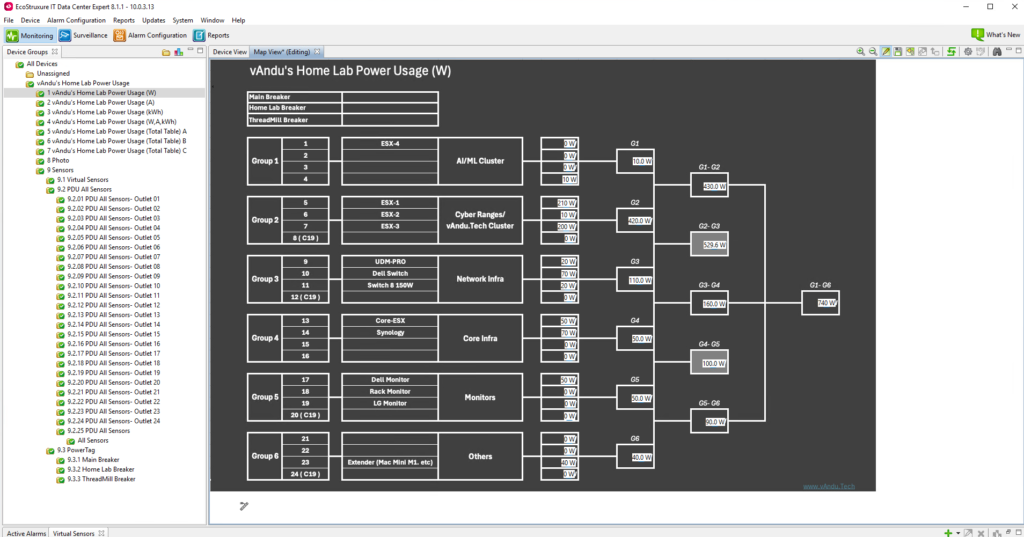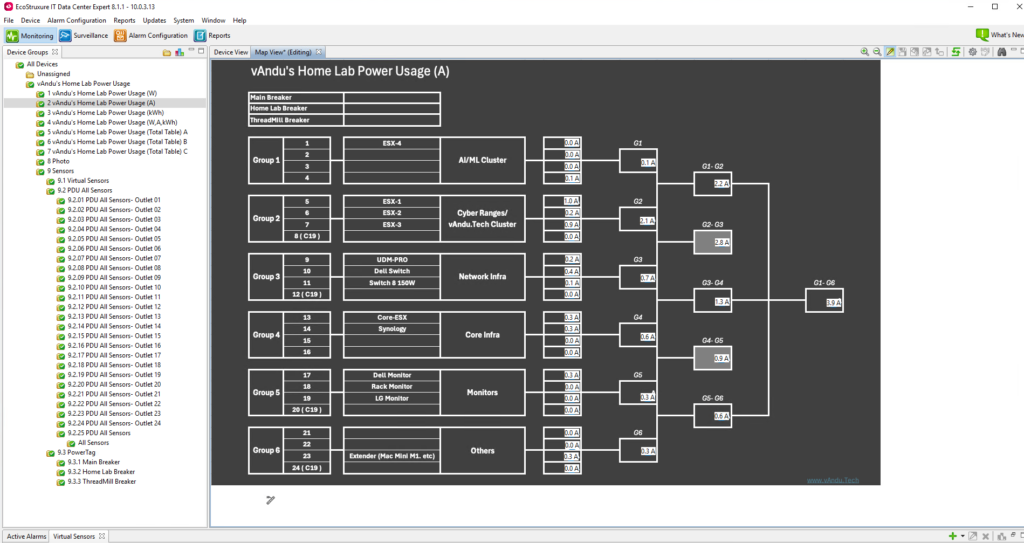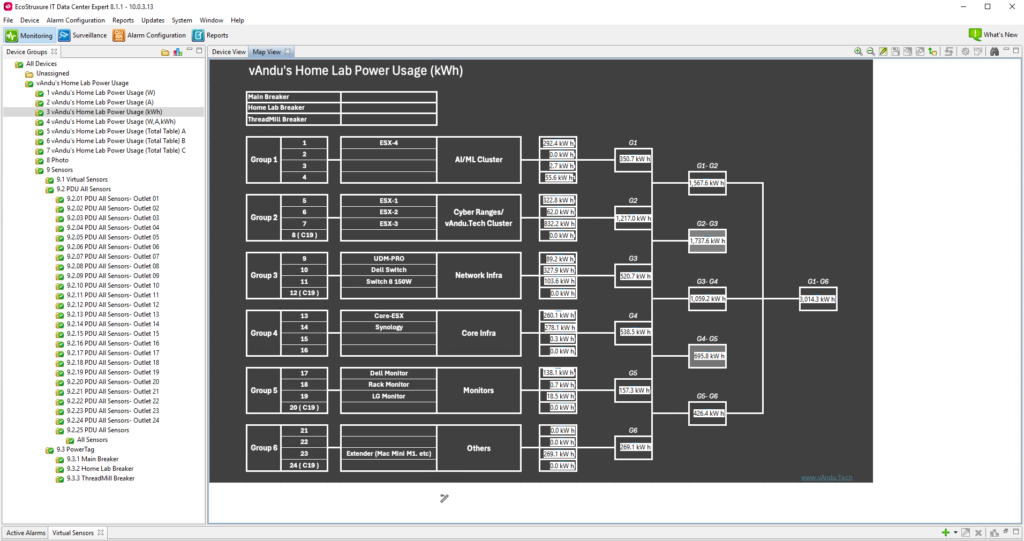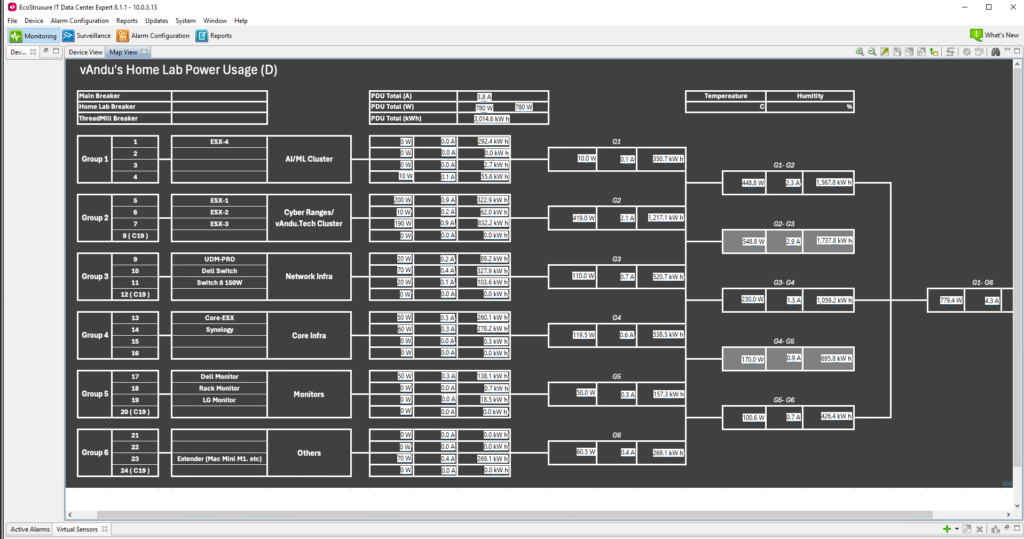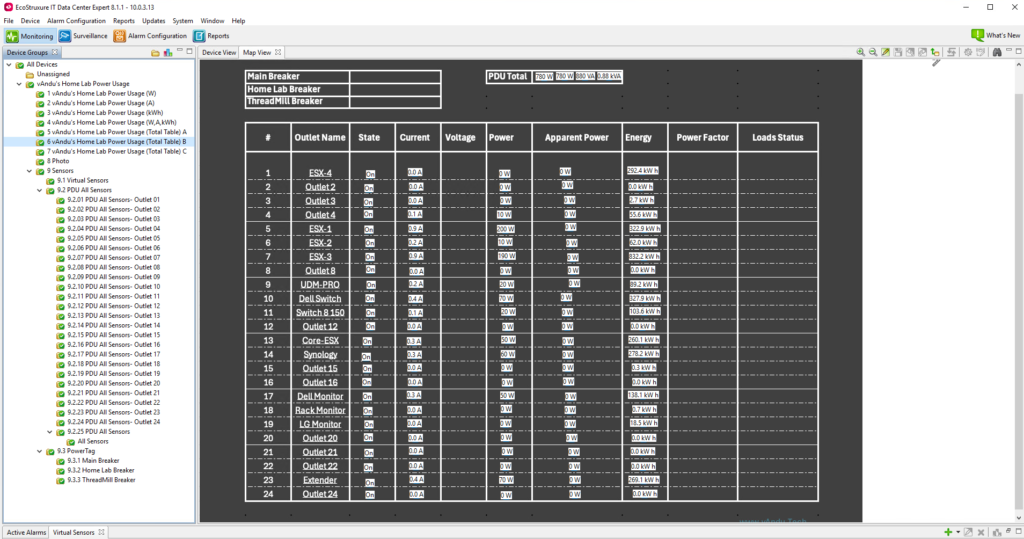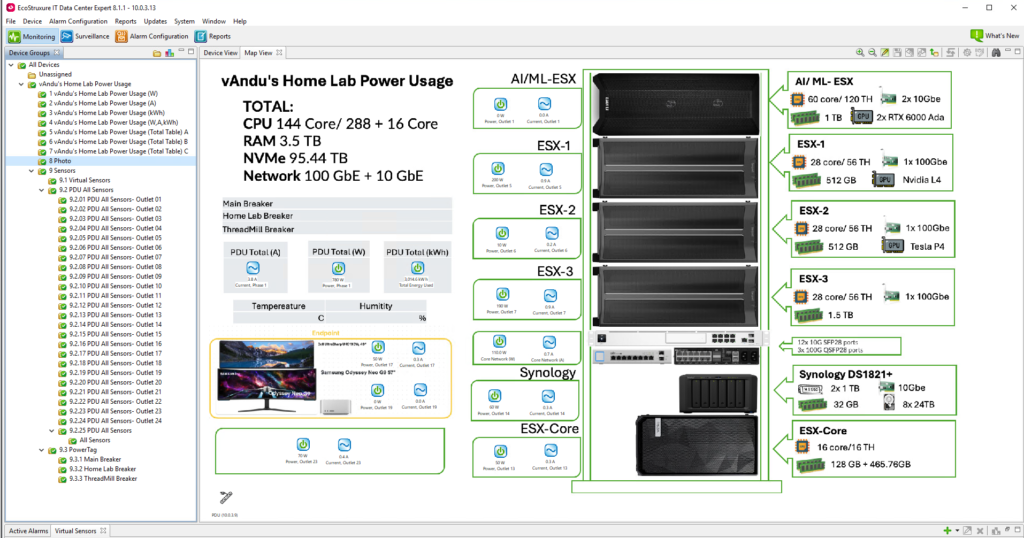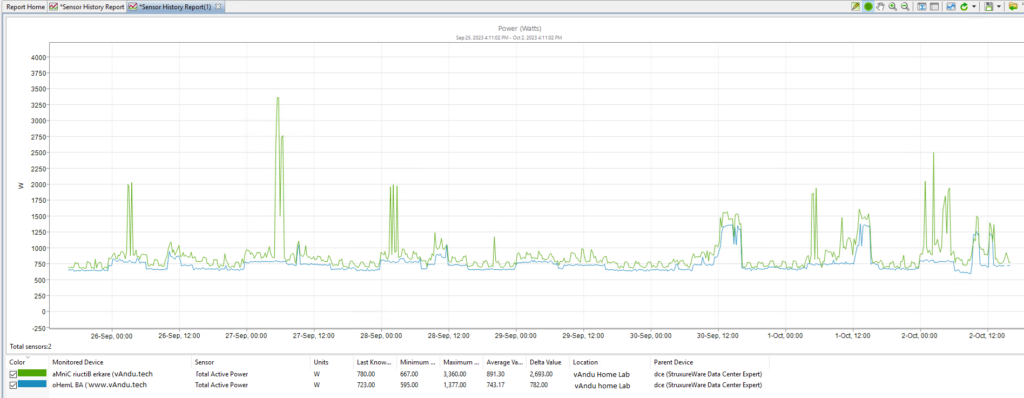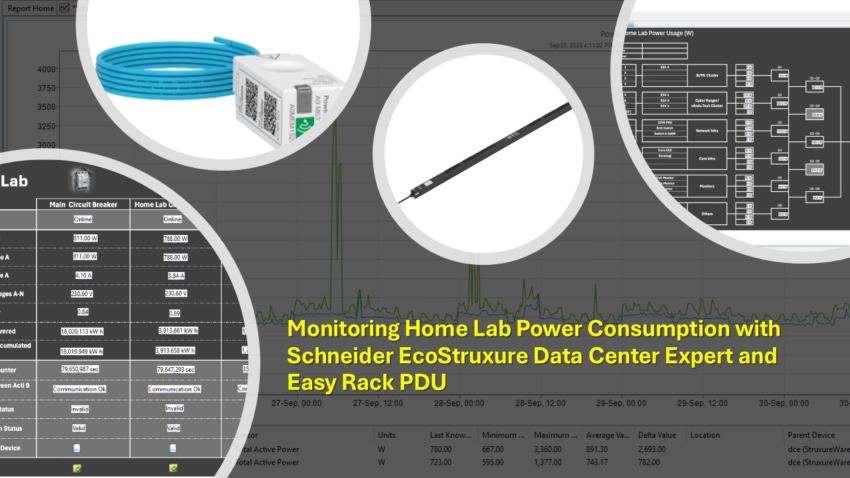
I’ve been a big fan of Schneider EcoStruxure Data Center Expert because it’s a practical tool for monitoring data center power, humidity, and temperature. I recently bought a Schneider Easy Rack PDU metered outlet version (EPDU1116SMBO), which allows me to monitor the power consumption of individual sockets. This means I can monitor each home lab device separately, including all my servers, monitors, Synology NAS, switches, and more. It also allows me to remotely turn off each socket, which helps save a bit of power. For example, even when my AI/ML server is turned off, it still consumes 10W of power.
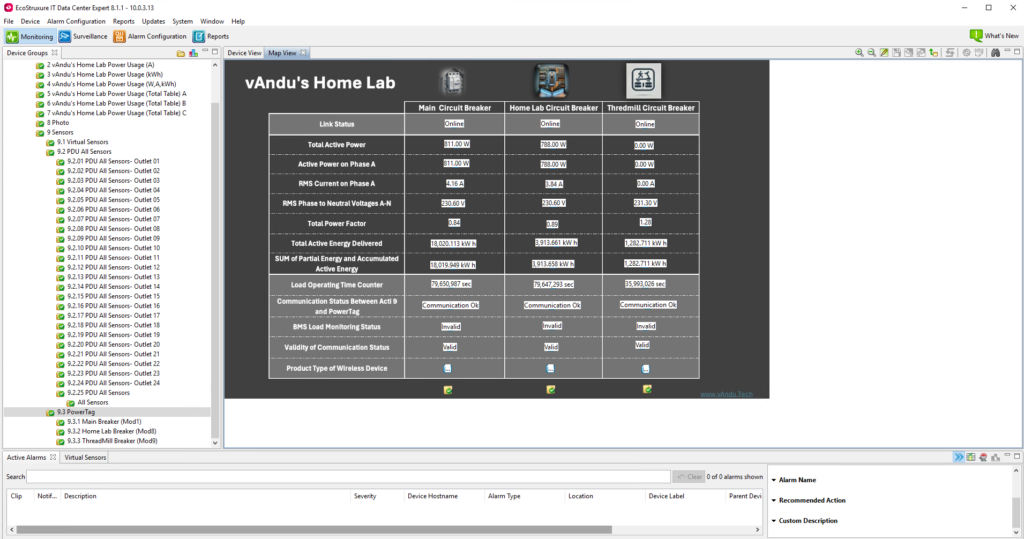
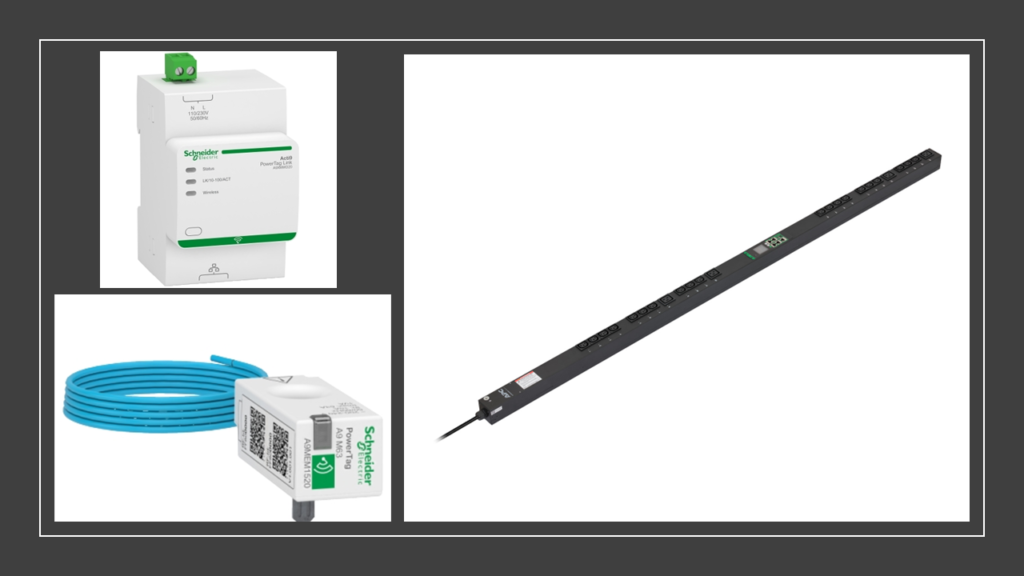
For monitoring my apartment’s power consumption, I use the Schneider Acti9 PowerTag Link Gateway (A9XMWD20) paired with the Schneider PowerTag energy sensor (A9MEM1520). The PowerTag is connected to the circuit breaker and wirelessly sends information to the Acti9 Gateway, which communicates via Modbus TCP/IP to the EcoStruxure Data Center Expert software.
Setting up the Data Center Expert and PowerTag was straightforward, but dealing with the Easy Rack PDU was a headache. It initially gave incorrect readings, so I had to open a support ticket with Data Center Expert and PDU support. After two months of back and forth, they had to update the PDU firmware to fix the issue.
It turns out that the PDU’s power consumption readings are not entirely real-time, and my PDU is unable to display power usage below 10W accurately.
When I have more time, I’ll write a blog post detailing how I set everything up. Be sure to check my blog for updates!
Schneider Acti9 PowerTag Link Gateway (A9XMWD20), PowerTag (A9MEM1520), Easy Rack PDU (EPDU1116SMBO)
Data Center Expert Dashboard Photos