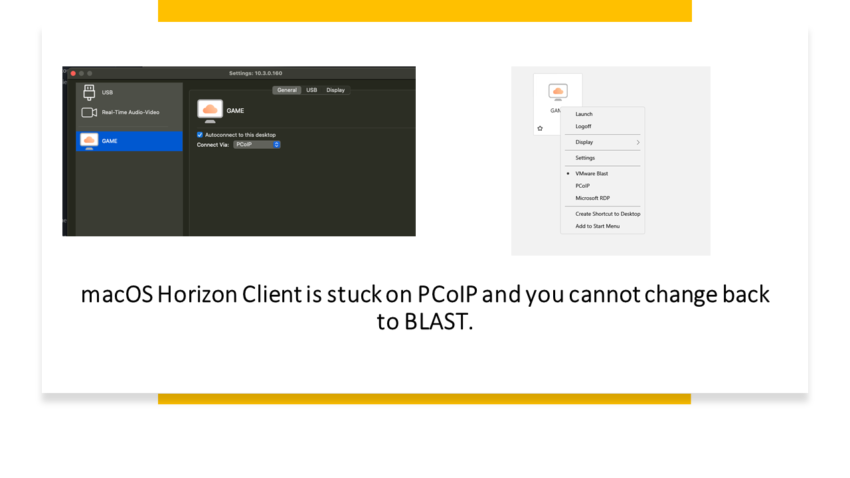
I was trying out a PCoIP connection, but it didn’t work out well. I ended up with a black screen. What’s strange is that after switching from PCoIP, I can’t switch back to Blast. Also, there’s a noticeable difference between the Apple and Windows Horizon clients. With Windows, you can easily change it by right-clicking on the connection icon
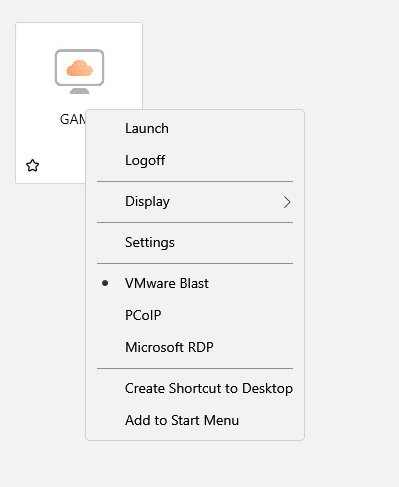
On macOS, I need to log into the VM to change the settings. It seems like the developers for macOS like to do things differently and make them more complicated.
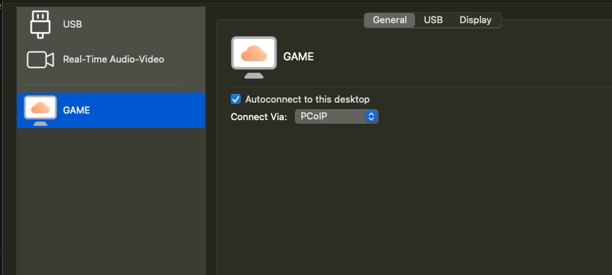
I tried deleting Horizon client and reinstalling it. Still the settings were there, and I could not find where the configuration files are located. At least, not that place where VMware claims to be. It was empty.
Mac client
When the Mac client starts, it generates the following configuration files:
$HOME/Library/Preferences/com.vmware.horizon.plist
$HOME/Library/Preferences/com.vmware.vmrc.plist
$HOME/Library/Preferences/com.vmware.horizon.keyboard.plist
/Library/Preferences/com.vmware.horizon.plist
A quick fix: Log in from a different client. I used Horizon Client on my Windows VM to connect. After that, when I logged in again from the macOS Horizon client, it worked. Everything went back to normal.