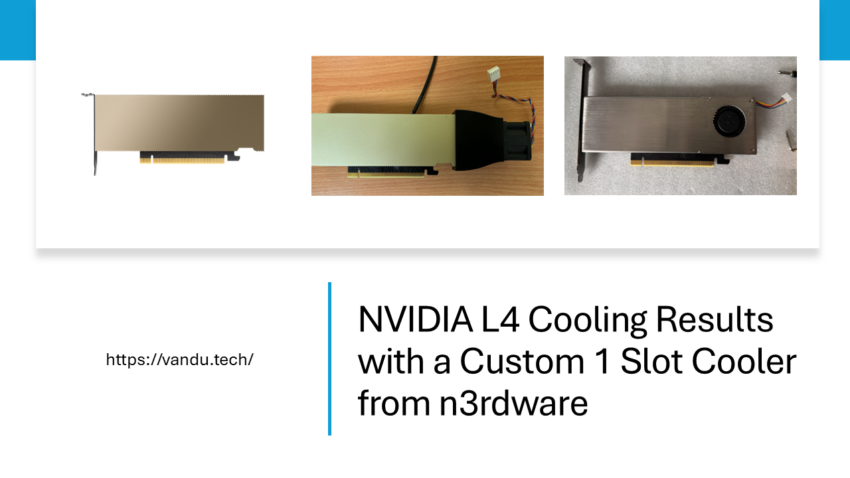
I’m happy to say that my collaboration with Robbe from n3rdware has finally reached the finish line. He has been designing and selling custom GPU coolers for years, with most of his customers coming from the home lab community, so this project was in very capable hands from the start.
As part of this collaboration, Robbe designed two different coolers for the NVIDIA L4: a 3 slot version and a 1 slot version. This article focuses on the 1 slot cooler and the results I saw with it. If you want to read about the 3 slot cooler, check out the other article. My NVIDIA L4 Now Runs 18°C Cooler with a Custom 3 Slot Cooler
ESX-2 is my second ESXi host, and it also runs an NVIDIA L4. Before this test, I was cooling it with a server fan mounted on a 3D printed bracket, along with a Noctua fan speed controller for manual RPM adjustment.
The problem
The NVIDIA L4 ships as a single-slot, passively cooled data center card. It’s designed for servers with high-airflow chassis and carefully engineered front-to-back cooling. But if you’re running an L4 in a workstation-class ESXi host where airflow isn’t as aggressive, that passive heatsink just doesn’t cut it. The card runs hot, the server fans ramp up to compensate, and you’re left with a loud, thermally constrained system.
The previous cooling setup
On ESX-2, I was using a server fan with a 3D-printed mounting bracket to direct airflow over the L4’s passive heatsink. Fan speed was controlled manually via a Noctua fan speed controller. I had it dialed to a speed where the noise level was okay, but still annoying. This meant adjusting the knob depending on the workload and room temperature, and it required regular attention, but it did keep the GPU within operating limits.
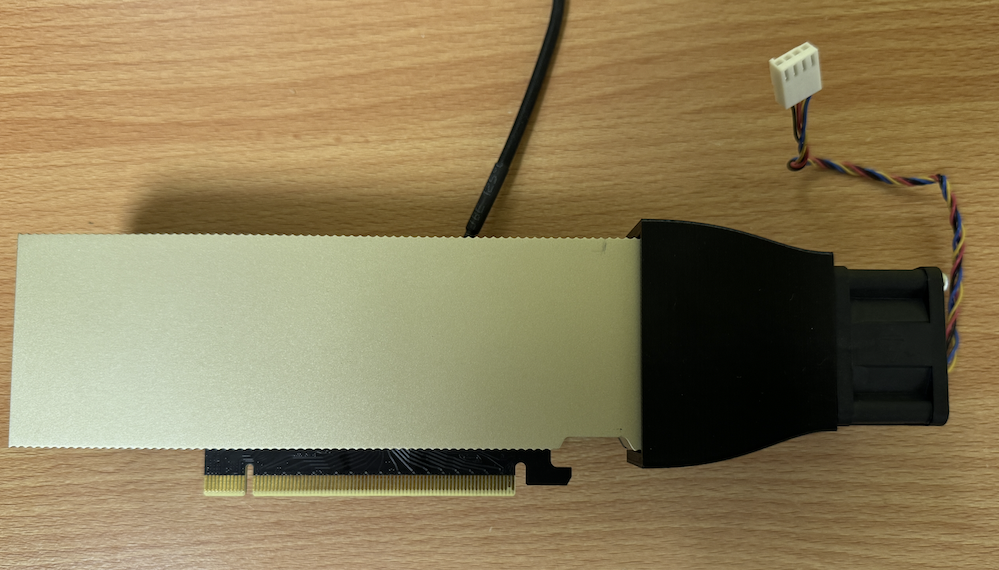
The n3rdware single-slot cooler
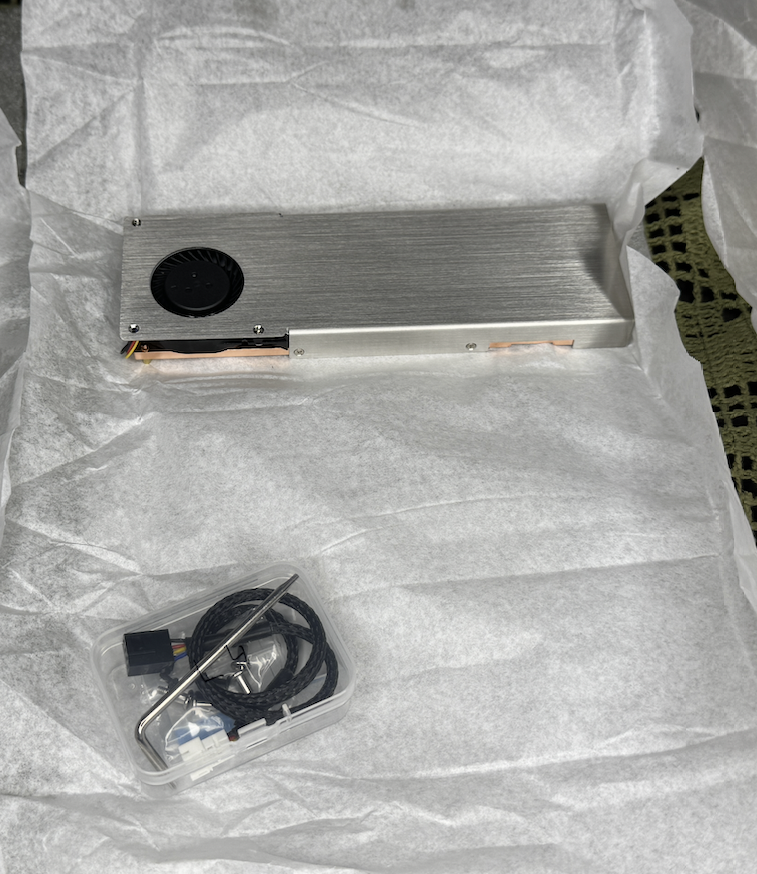
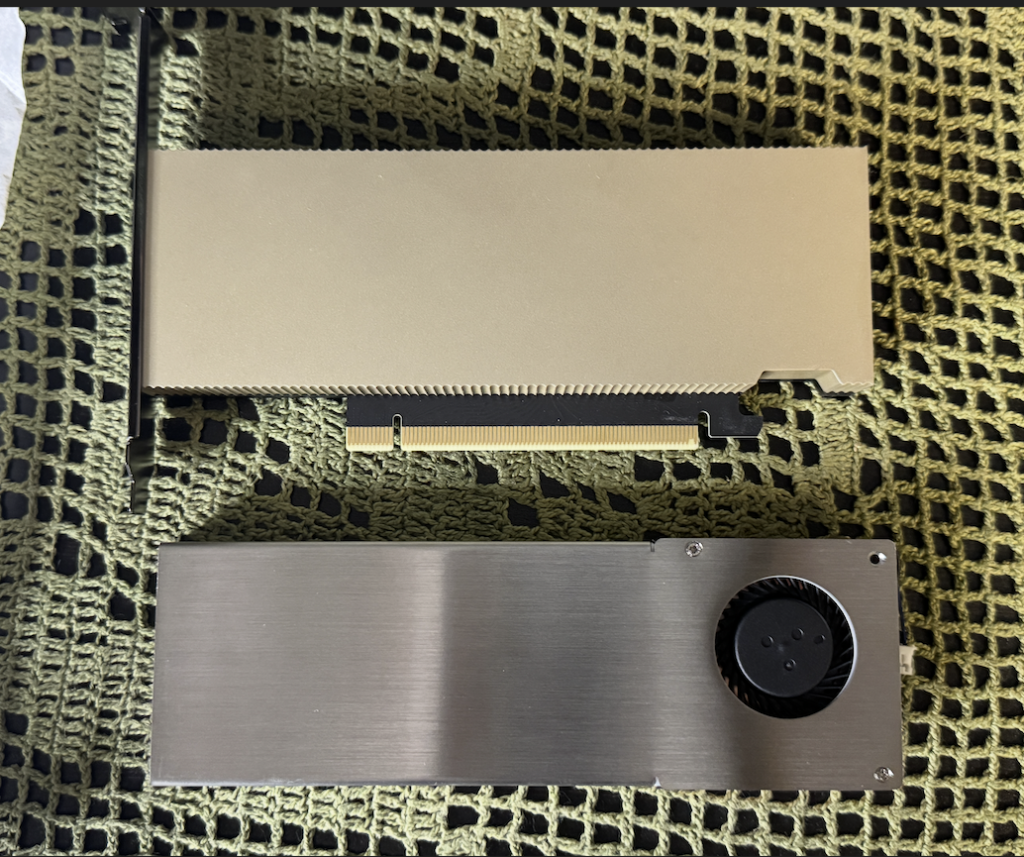
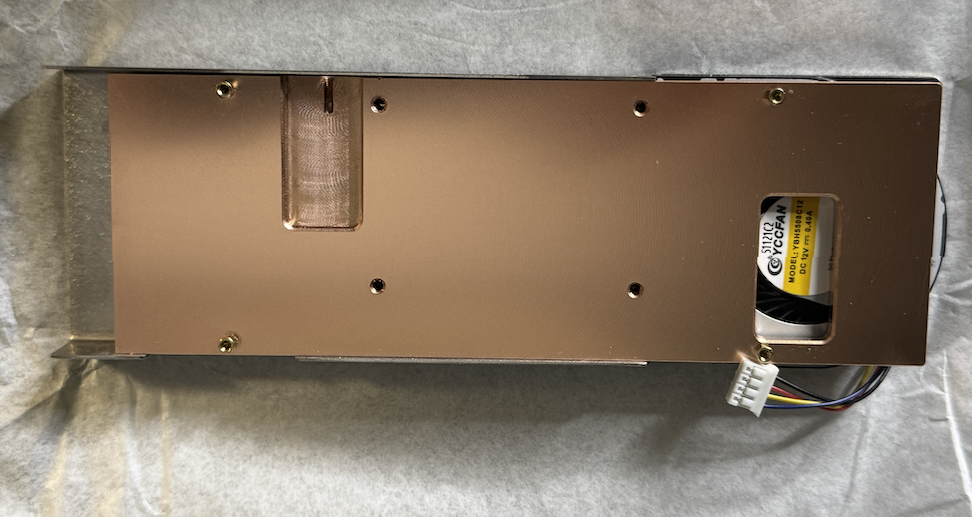
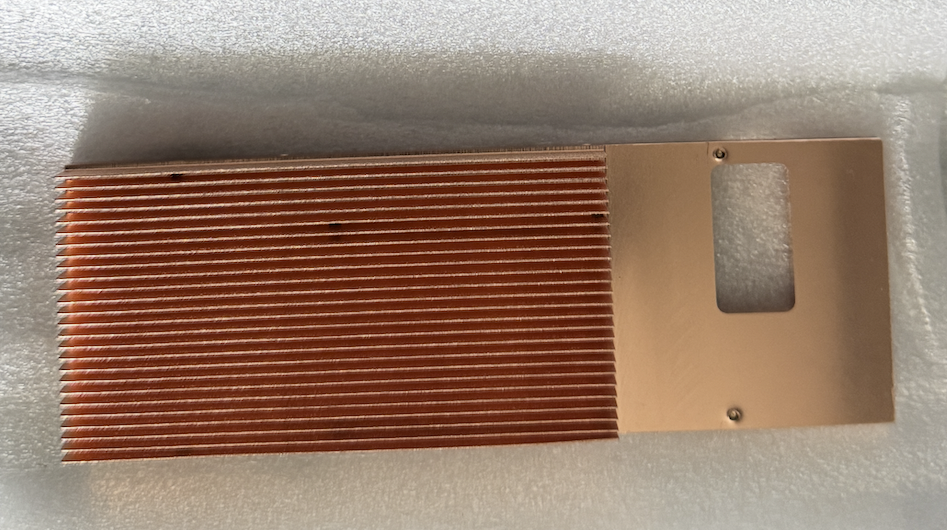
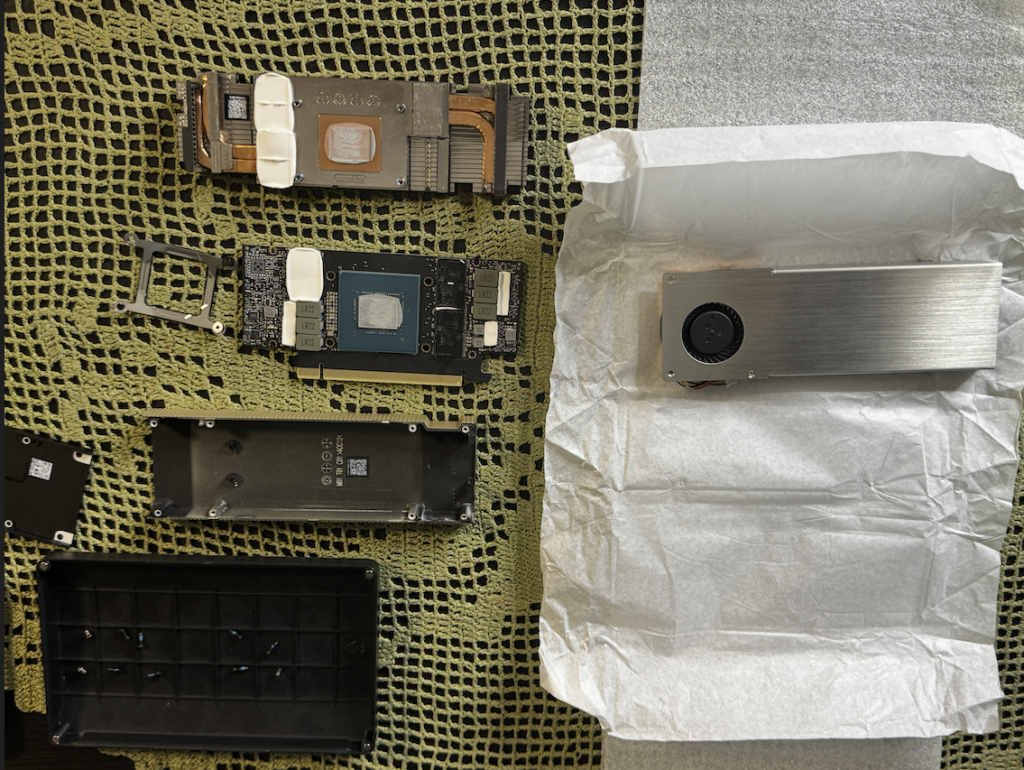
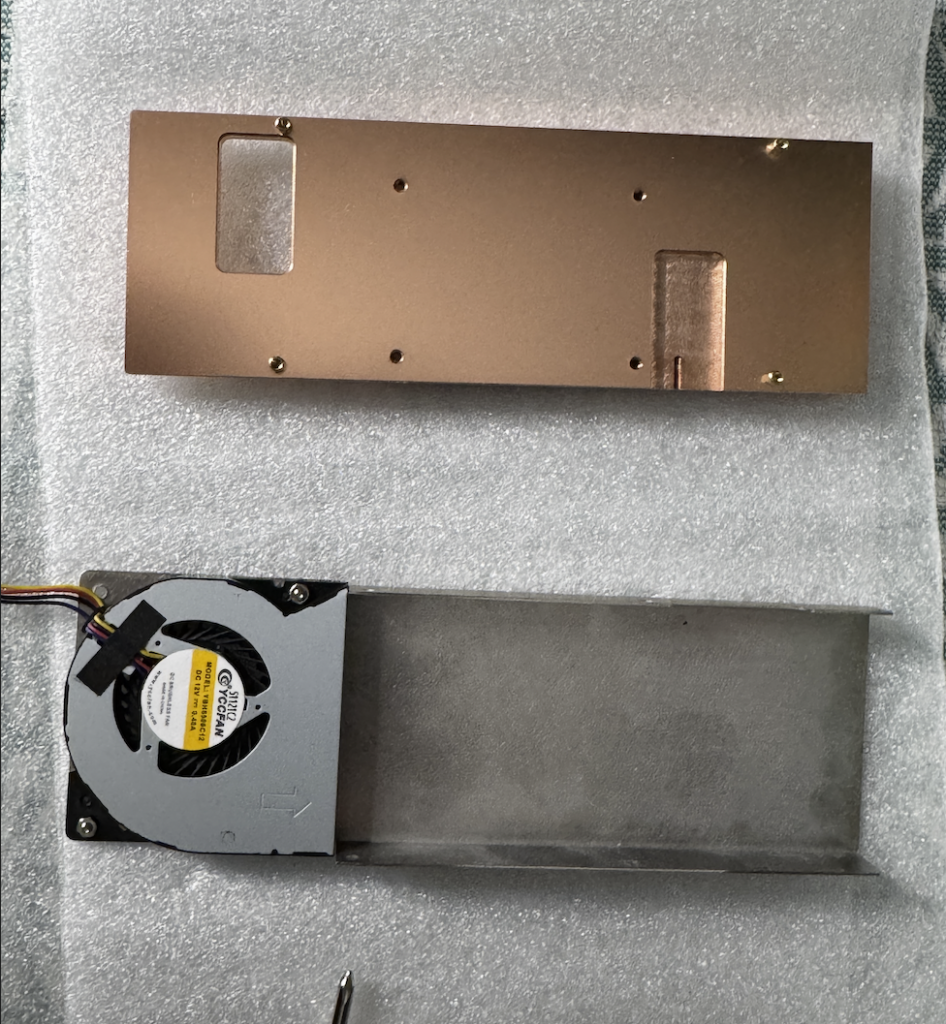
The cooler provided for ESX-2 is a single-slot design, unlike the 3-slot model I installed on ESX-1. The advantage of a single-slot form factor is compatibility: it fits in the same space as the original passive L4 heatsink, with no clearance issues. The trade-off is less surface area for heat dissipation compared to a larger cooler.
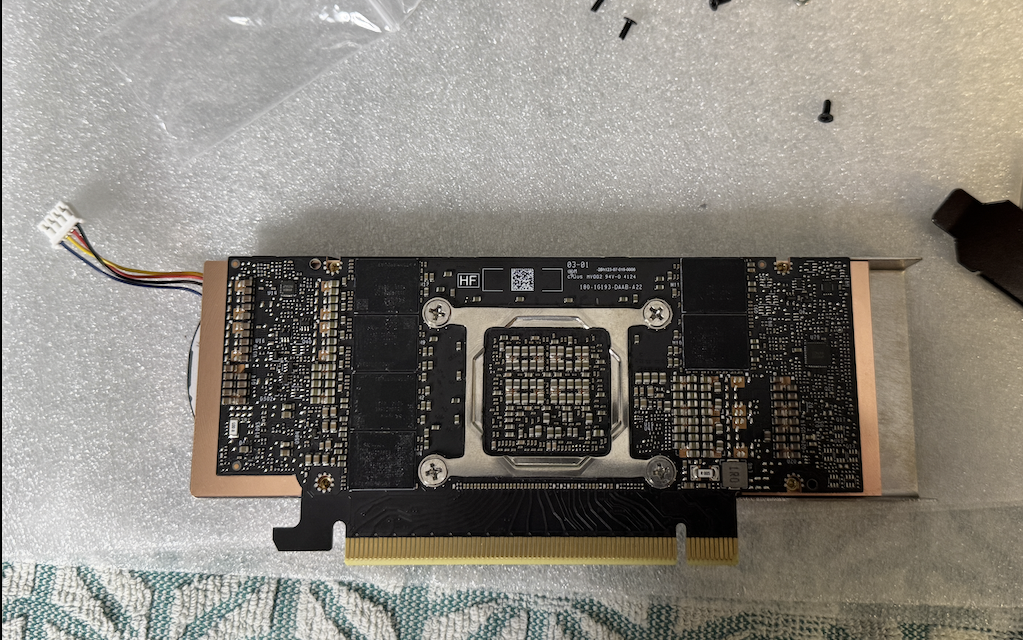
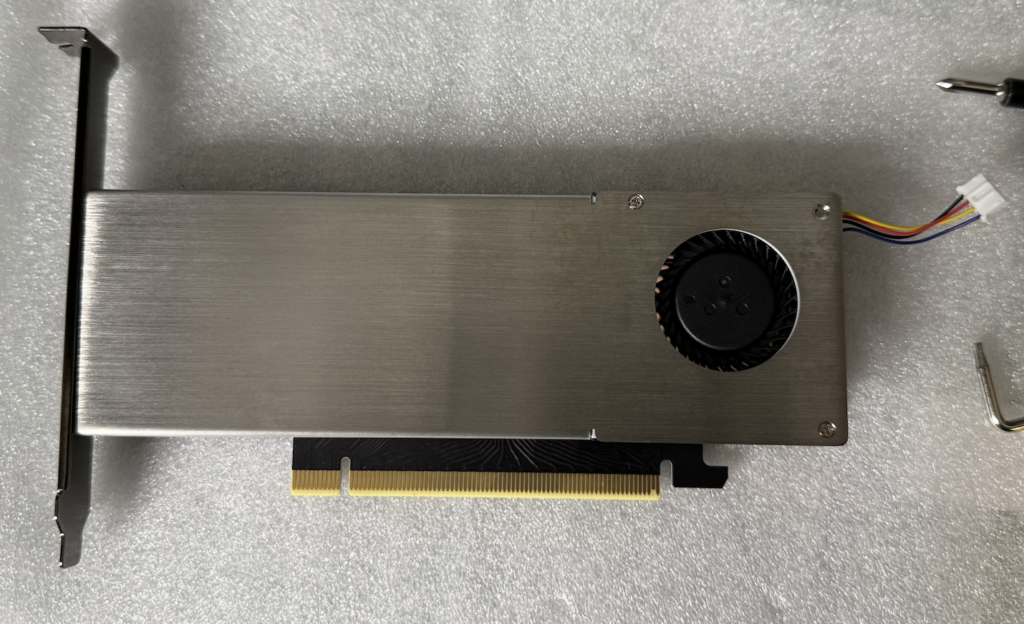
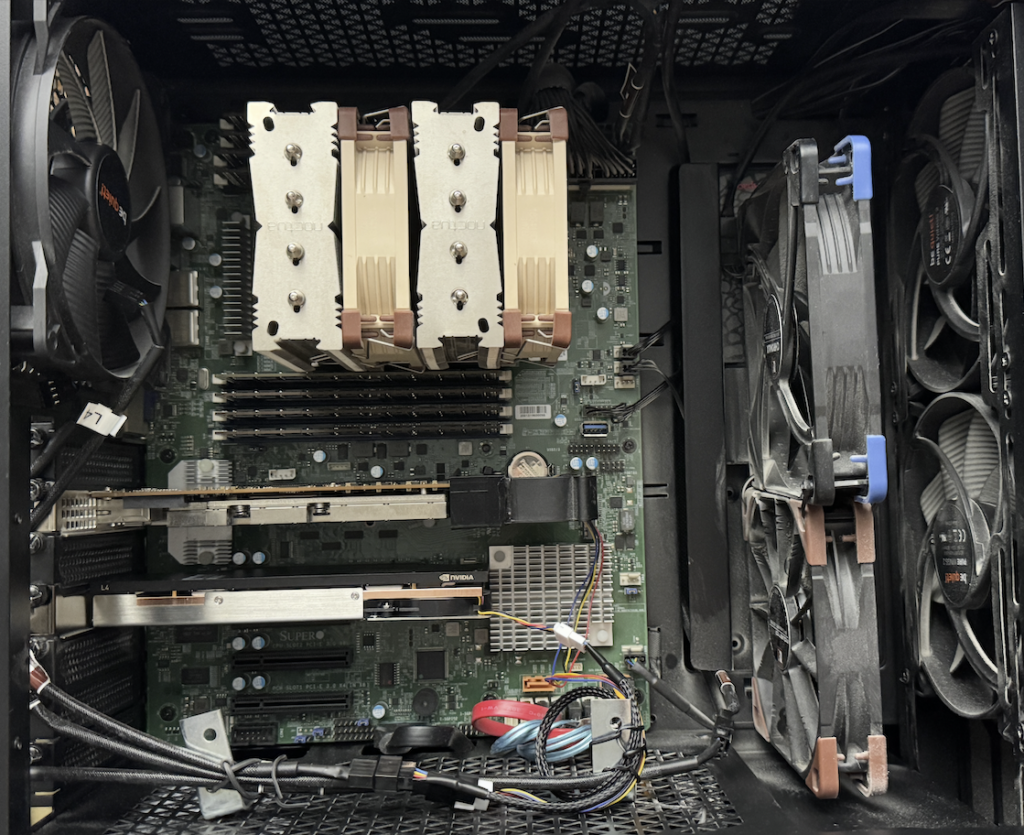
Test setup
Both tests were run on ESX-2 using the same methodology as my ESX-1 testing. I used Geeks3D FurMark 2.10.2 inside a Windows VM configured with a vGPU profile L4-24Q on VMware vSphere 8 Update 3. FurMark was set to FurMark (GL) at 3840×2160 (4K UHD) with Fullscreen, Display OSI, and Benchmark enabled.
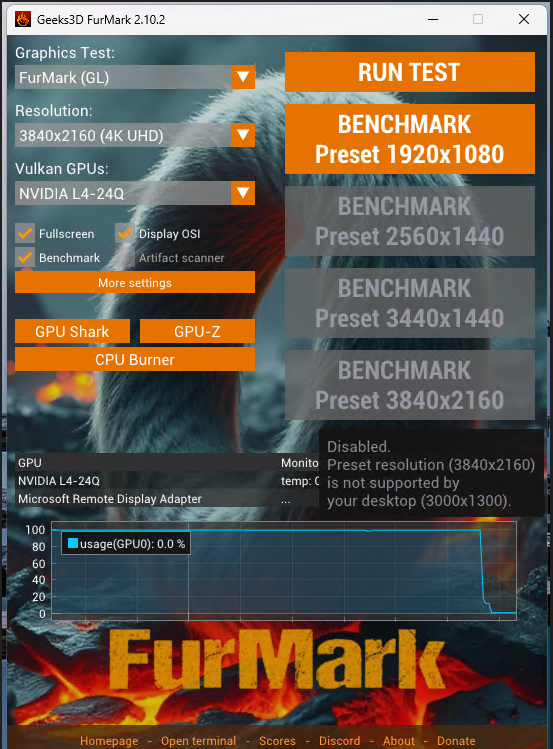
Telemetry was captured at 1-second intervals via nvidia-smi on the ESXi host, recording GPU temperature, power draw, clock speeds, utilization, and power state throughout each run.
nvidia-smi --query-gpu=timestamp,name,temperature.gpu,power.draw,clocks.gr,clocks.mem,utilization.gpu,pstate --format=csv -l 1 > /tmp/ESX_1_L4_cooling-test_final.csv
nvidia-smi dmon -s pcut -d 1
nvidia-smi -l 1
The numbers at a glance
Temperature under load: side by side
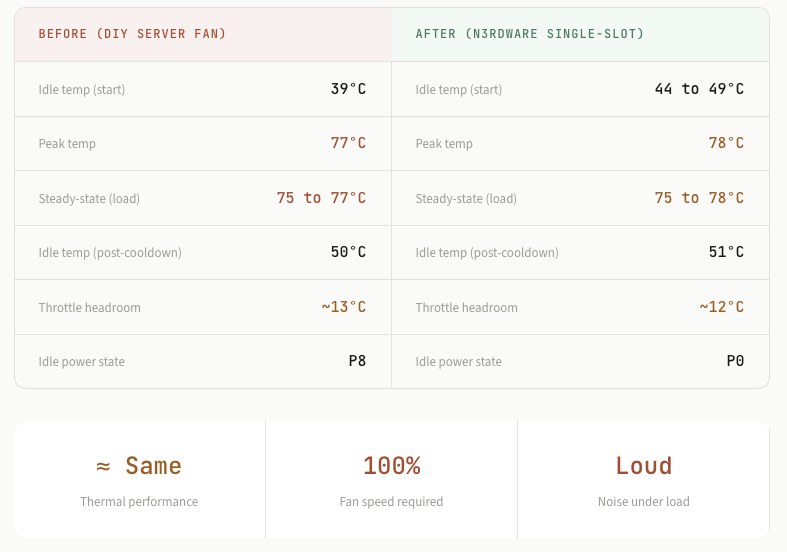
Unlike the dramatic 18°C drop on ESX-1, the story here is different. The single-slot n3rdware cooler delivers essentially the same thermal performance as the DIY server fan setup. Both solutions plateau in the mid-to-upper 70s under sustained 99% GPU load. The n3rdware cooler settles at 75 to 78°C, while the DIY fan held the card at 75 to 77°C.
However, there is an important detail here. The DIY server fan is rated for up to 22,000 RPM, and during this test it was not running at full speed. I was controlling it through the Noctua fan controller at a reduced RPM. The single-slot n3rdware cooler, on the other hand, needed its fan at 100% to reach these temperatures. In other words, the single-slot cooler at maximum effort only matched a server fan that still had significant headroom left.
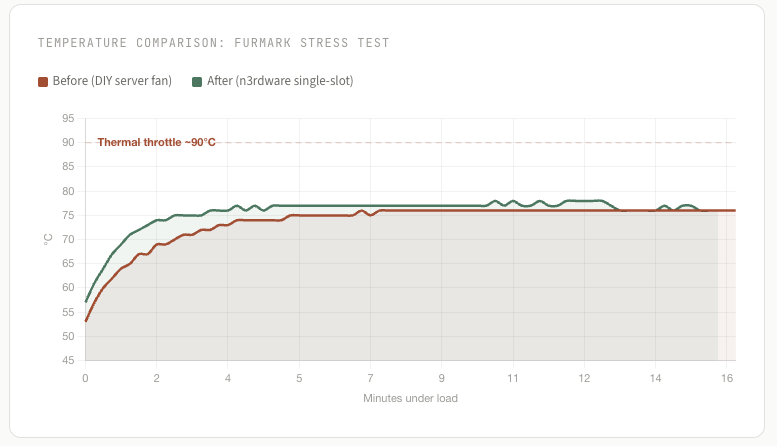
Note: To achieve these temperatures, the single-slot cooler’s fan needs to run at 100% speed. This results in significant noise, which may or may not be acceptable depending on your environment and tolerance.
Full telemetry: before (DIY server fan)
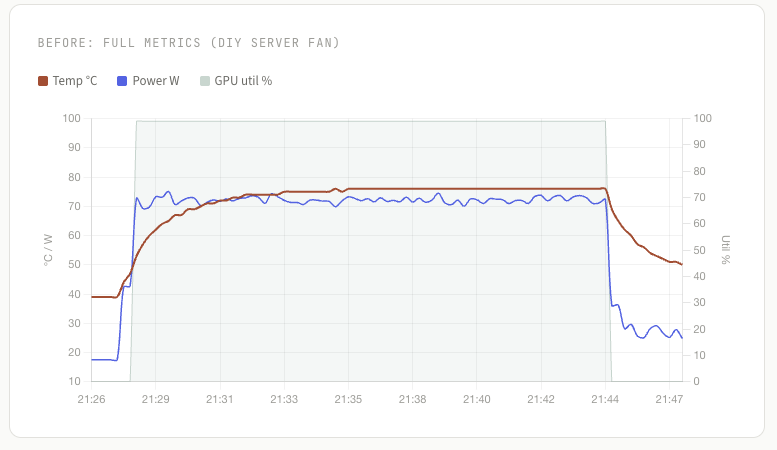
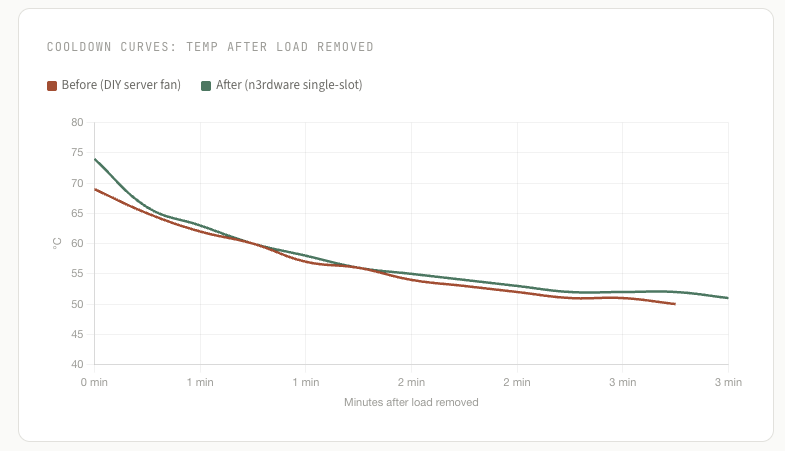
The DIY server fan setup performed respectably. The fan itself is capable of 22,000 RPM, but during this test it was running at a reduced speed through the Noctua controller. Starting from a cold 39°C idle in P8 power state, the GPU ramped to 99% utilization and climbed steadily to a plateau around 75 to 77°C over roughly 16 minutes. Power draw held consistent at around 71 to 73 W. After load was removed, the card cooled back down to 50°C within about 3 minutes.
Full telemetry: after (n3rdware single-slot cooler)
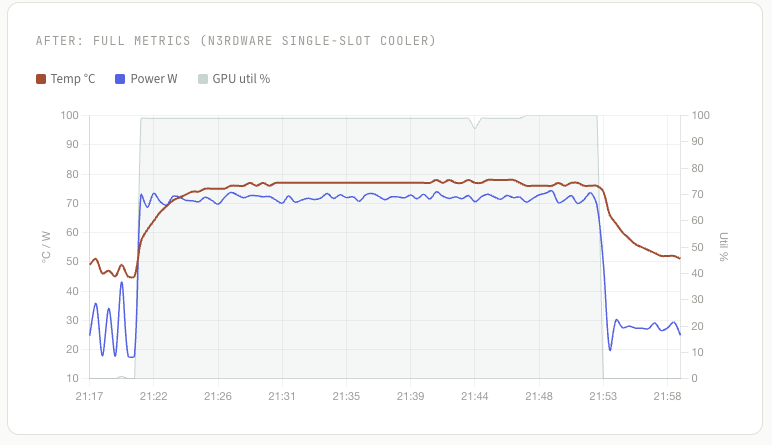
The n3rdware cooler was tested under a longer sustained load of approximately 31 minutes. With the fan running at 100% speed, the GPU climbed from an idle temperature in the mid-40s to a steady state of 75 to 78°C, peaking briefly at 78°C. The thermal curve is stable, with no runaway heat. After the load was removed, the card cooled to 51°C over about 6 minutes.
Observation: The single-slot cooler at 100% fan speed matched a DIY server fan that was not even running at full capacity. The server fan is capable of 22,000 RPM and had room to push harder if needed. The single-slot cooler had no room left to give. For comparison, the 3-slot cooler on ESX-1 achieved 66 to 69°C under load while remaining virtually silent.
Cooldown recovery
Both cooling solutions show clean, exponential cooldown curves after load removal. The DIY fan dropped the GPU from 76°C to 50°C in about 3 minutes, while the n3rdware cooler brought it from 76°C to 51°C in roughly 6 minutes. The DIY fan’s slightly faster cooldown likely comes from the higher-CFM server fan pushing more raw airflow, but both solutions settle to a similar idle temperature in the low 50s.
The noise problem
This is where the single-slot cooler falls short for me. To maintain the temperatures shown above, the cooler’s fan has to run at 100% speed. At full RPM, it is clearly audible and, in my opinion, too noisy for a homelab environment where I spend time working nearby. The whole reason I started this project with Robbe was to reduce noise. A cooler that requires maximum fan speed to keep the GPU in the upper 70s does not achieve that goal.
To be clear, the cooler does its job thermally. It keeps the L4 within safe operating limits under sustained full load. But for my standards, where I want the system to be as quiet and cool as possible, the single-slot form factor simply does not have enough thermal headroom to run the fan at lower, quieter speeds.
Robbe has confirmed that the cooler is running exactly as he designed it. According to him, the smaller cooler really needs the fan at 100% during load, and even then, temperatures of 80+ degrees are to be expected, but that is still within spec. He also acknowledges that this cooler is not for everyone. It is a compact solution that works within the physical constraints of a single slot, but those constraints come with trade-offs in noise and thermal headroom.
NB! ESX-2 sits in its own case with its own airflow characteristics. If you are running a similar setup, your temperatures and noise levels may differ depending on your chassis, ambient room temperature, and overall system airflow. The single-slot cooler might work perfectly fine for someone with different priorities or a louder environment.
My plan going forward
Based on these results, I plan to replace the single-slot cooler on ESX-2 with the same 3-slot model that performed so well on ESX-1. The 3-slot cooler kept the L4 at 66 to 69°C under sustained load while remaining completely silent. That is the standard I am aiming for across both hosts.
The verdict
The n3rdware single-slot cooler keeps the NVIDIA L4 at 75 to 78°C under sustained full load, with about 12°C of headroom before thermal throttling. Thermally, it performs on par with the DIY server fan it replaced.
However, it requires the fan to run at 100% to achieve these temperatures, which makes it loud. For my use case and my standards, this is not an acceptable trade-off. I want both low temperatures and low noise, and the single-slot design cannot deliver both at the same time.
This does not make it a bad product. If you need a compact, single-slot cooling solution for the L4 and noise is not a concern, it does what it is supposed to do. But if quiet operation matters to you, the 3-slot cooler is the better choice. I will be swapping this one out.