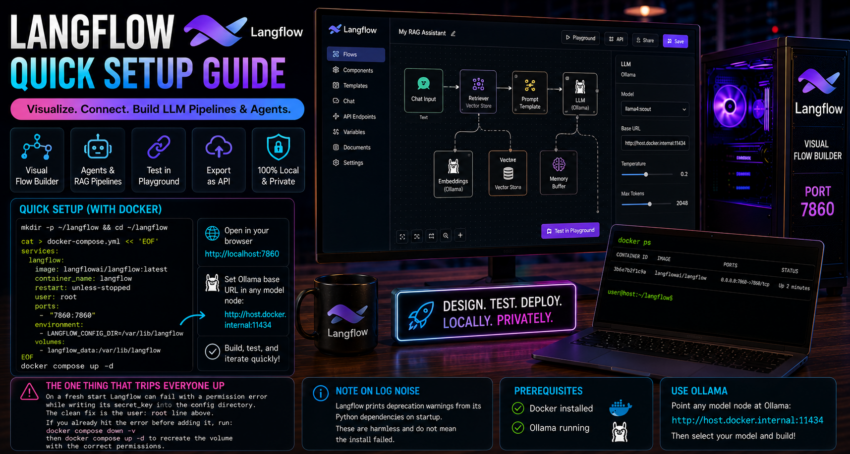
Short description
Langflow is a visual flow builder for LLM pipelines and agents, similar in spirit to Flowise but with its own node set and feel.
Purpose and how people use it
People use Langflow to design RAG flows, agents, and prompt pipelines visually, test them in a built in playground, and export them as an API. It is popular for rapid prototyping and for teaching how the pieces of an LLM pipeline fit together.
Prerequisites
- Docker installed.
- Ollama running.
Quick setup
mkdir -p ~/langflow && cd ~/langflow

cat > docker-compose.yml << 'EOF'
services:
  langflow:
    image: langflowai/langflow:latest
    container_name: langflow
    restart: unless-stopped
    user: root
    ports:
      - "7860:7860"
    environment:
      - LANGFLOW_CONFIG_DIR=/var/lib/langflow
    volumes:
      - langflow_data:/var/lib/langflow
EOF

docker compose up -d
Open http://localhost:7860.
Point any model node at Ollama using http://host.docker.internal:11434.
The one thing that trips everyone up
On a fresh start Langflow can fail with a permission error while writing its secret_key into the config directory. The clean fix is the user: root line shown above. If you already hit the error before adding it, run docker compose down -v and then docker compose up -d so it recreates the volume with the right permissions.
Note on log noise
Langflow prints deprecation warnings from its Python dependencies on startup. These are harmless and do not mean the install failed.