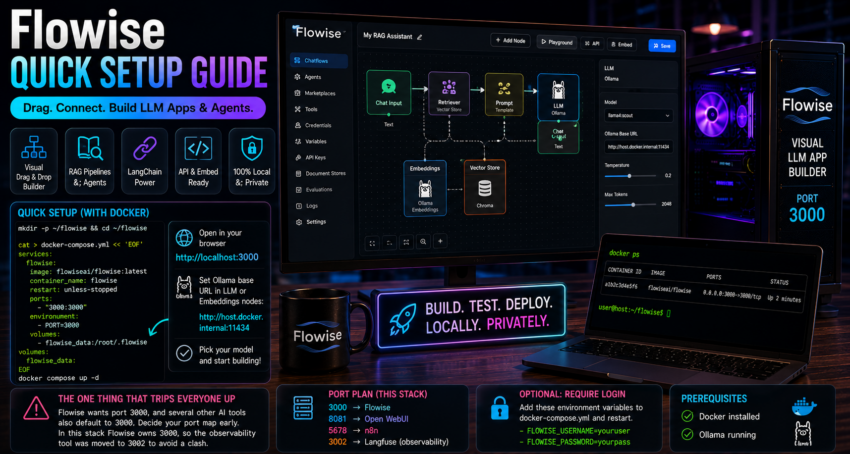
Short description
Flowise is a visual drag and drop builder for LLM apps and agents. You assemble chains, agents, and RAG pipelines as boxes on a canvas.
Purpose and how people use it
People use Flowise to prototype chatbots, RAG assistants, and tool using agents quickly, then expose them as an API or an embed widget. It is friendly for anyone who wants LangChain style power without writing LangChain code.
Prerequisites
- Docker installed.
- Ollama running.
Quick setup
mkdir -p ~/flowise && cd ~/flowise

cat > docker-compose.yml << 'EOF'
services:
  flowise:
    image: flowiseai/flowise:latest
    container_name: flowise
    restart: unless-stopped
    ports:
      - "3000:3000"
    environment:
      - PORT=3000
    volumes:
      - flowise_data:/root/.flowise

volumes:
  flowise_data:
EOF

docker compose up -d
Open http://localhost:3000.
In any LLM or embeddings node, set the Ollama base URL to http://host.docker.internal:11434 and pick your model.
The one thing that trips everyone up
Flowise wants port 3000, and several other AI tools also default to 3000. Decide your port map early. In this stack Flowise owns 3000, so the observability tool was moved to 3002 to avoid a clash.
Optional
To require a login, add FLOWISE_USERNAME and FLOWISE_PASSWORD environment variables to the compose file and restart.