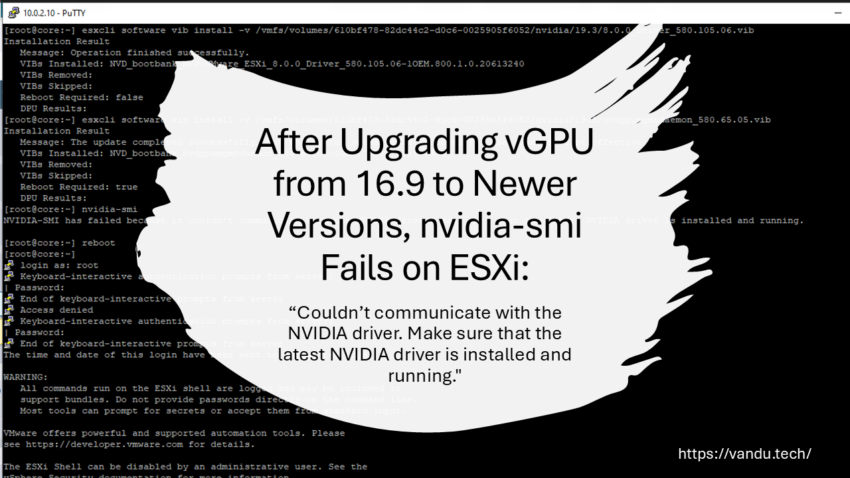
I recently ran into a tricky issue while upgrading NVIDIA vGPU on a VMware ESXi host using an NVIDIA A2 GPU.
On my Management Core Server, I replaced an NVIDIA Tesla P4 with an NVIDIA A2 because the A2 has more VRAM and supports newer vGPU releases. The P4 is still a capable GPU and will get a new use case, but its 8 GB of VRAM is a bit tight when you want to share it across multiple virtual machines.
One of the biggest advantages of newer vGPU versions is support for mixed size profiles. This means I can assign different amounts of VRAM to different VMs, for example 2 GB to one VM, 4 GB to another, and 6 GB to another, depending on their needs.
The NVIDIA A2 is also a better fit for my setup because it is more powerful than the P4, uses less power, and uses PCIe x8 Gen 4 instead of PCIe x16. That is perfect for my core host, where I run jump hosts and management VMs for different purposes.
After swapping the GPUs, I ran into an interesting problem when installing newer vGPU drivers. I tested several newer vGPU versions and saw the same issue every time. The surprising part was that vGPU 16.9 worked fine with the A2, but starting with vGPU 17.0, nothing worked anymore.
At first, the symptoms looked like a GPU or vGPU compatibility issue. I initially went in the wrong direction and assumed I needed a newer VBIOS that was “GSP capable.” After consulting with Simon from NVIDIA, I learned that this could not be the issue. GSP is a hardware feature introduced with NVIDIA Ada architecture, and it is not something you can enable on an A2 by updating the VBIOS. In other words, the A2 should work with newer vGPU versions, and the problem had to be elsewhere. Once I stopped chasing the VBIOS angle, I found the real root cause within a few hours. Thank you, Simon, for the correction and for saving me a lot of time.
The actual root cause was on the ESXi side. The NVIDIA kernel module failed to load due to an ESXi module symbol space limit on an older ESXi 8.0 Update 3 build. This later caused NVIDIA vGPU Device Groups generation to fail, and nvidia-smi could not communicate with the driver.
Environment
My setup:
GPU: NVIDIA A2
Hypervisor: VMware ESXi 8.0 Update 3
Problematic build: 24022510
vGPU version that worked: 16.9
vGPU versions that failed: newer versions (for example 19.4)
Symptoms
After installing a newer NVIDIA vGPU version, I observed the following:
nvidia-smi failed on the ESXi host
NVIDIA vGPU services started, but Device Groups generation failed
vGPU profiles were not available and vGPU did not initialize properly
Typical error from nvidia-smi:
NVIDIA-SMI has failed because it couldn’t communicate with the NVIDIA driver. Make sure that the latest NVIDIA driver is installed and running.

This can easily look like a unsupported GPU, incorrect graphics settings, SR-IOV problems, or wrong BIOS settings. In my case, none of those were the real cause.
How to quickly check if this is your issue
1. Check your ESXi version and build number
Run:vmware -vl
If you are on an older ESXi 8.0 Update 3 build (for example 24022510), continue with the checks below.
2. Check for the exact error in vmkernel.log
Run:grep -i ‘symbol space too large|ElfExportSymbols failed’ /var/log/vmkernel.log
If you see messages like “module symbol space too large” and “ElfExportSymbols failed,” you have found the root cause.
Run:
grep -i 'nvrm|nvidia' /var/log/vmkernel.log
Also useful:
grep -i 'vgpu|vf|sriov|device group' /var/log/vmkernel.log
And to limit the output to recent entries:
tail -n 400 /var/log/vmkernel.log | grep -i 'nvrm|nvidia|vgpu|vf|sriov'
The Key Error That Confirms the Problem
If this is the same issue, you will find errors similar to:
• module symbol space too large
• Kernel based module load of nvidia failed: Limit exceeded
• ALERT: NVIDIA: module load failed during VIB install/upgrade
• ALERT: NVIDIA: Device Groups generation failed
Example pattern in vmkernel.log:
Loading module nvidia …
Elf: module nvidia has license NVIDIA
WARNING: module symbol space too large (…)
WARNING: Kernel based module load of nvidia failed: Limit exceeded
ALERT: NVIDIA: module load failed during VIB install/upgrade.
ALERT: NVIDIA: Device Groups generation failed.
3. Check whether the NVIDIA kernel module is loaded
Run:
vmkload_mod -l | grep -i nvidia
If this returns nothing, the NVIDIA kernel module is not loaded. That leads to the later errors, including NVIDIA services starting and Device Groups generation failing.
Why this happens
Newer NVIDIA vGPU modules are larger and can exceed the internal ESXi module symbol-space limit on certain ESXi 8.0 U3 builds.
This means:
• the NVIDIA kernel module fails to load
• then NVIDIA userspace services still try to start
• then Device Groups generation fails as a secondary symptom
Why 16.9 worked
Because the older NVIDIA module stayed under the ESXi symbol-space limit, while newer vGPU branches exceed it on older ESXi builds.
Solution/Fix
Upgrade ESXi to a fixed build
This issue is resolved in:
• VMware ESXi 8.0 Update 3e
• Build 24674464
After upgrading ESXi to 8.0 U3e, newer NVIDIA vGPU drivers should load correctly (assuming the rest of your configuration is valid).
Official references
Broadcom KB (describes the exact module load issue and the module symbol space too large error):
If the symbol size of an ESXi module, such as an NVIDIA driver, exceeds an internal limit.
While the module was loading, it’s failed with error “module symbol space too large”.
--vmkernel.logYYYY-MM-DDTHH:MM:SS In(182) vmkernel: cpu6:2098122)Loading module nvidia ...YYYY-MM-DDTHH:MM:SS In(182) vmkernel: cpu6:2098122)Elf: 2129: module nvidia has license NVIDIAYYYY-MM-DDTHH:MM:SS Wa(180) vmkwarning: cpu6:2098122)WARNING: Mod: 2288: module symbol space too large (4273635 > >4194304 bytes) YYYY-MM-DDTHH:MM:SS Wa(180) vmkwarning: cpu6:2098122)WARNING: Elf: 3284: Kernel based module load of nvidia >failed: Limit exceeded <ElfExportSymbols failed> YYYY-MM-DDTHH:MM:SS In(182) vmkernel: cpu62:2594689)nvidia-offload-ucode: NVIDIA: Starting nvidia-ucodeoffload.YYYY-MM-DDTHH:MM:SS Al(177) vmkalert: cpu94:2594693)ALERT: NVIDIA: module load failed during VIB install/upgrade
This issue is resolved in the VMware ESXi 8.0 Update 3e (Build 24674464)
• https://knowledge.broadcom.com/external/article/421159/an-esxi-module-might-fail-to-load-due-to.html
ESXi 8.0 Update 3e release notes (fixed build information):
• https://techdocs.broadcom.com/us/en/vmware-cis/vsphere/vsphere/8-0/release-notes/esxi-update-and-patch-release-notes/vsphere-esxi-80u3e-release-notes.html
VMware ESXi 8.0 Update 3e now available as a Free Hypervisor
https://knowledge.broadcom.com/external/article/399823/vmware-esxi-80-update-3e-now-available-a.html